
SMTP Ports 25, 465, and 587: Which Should You Use?
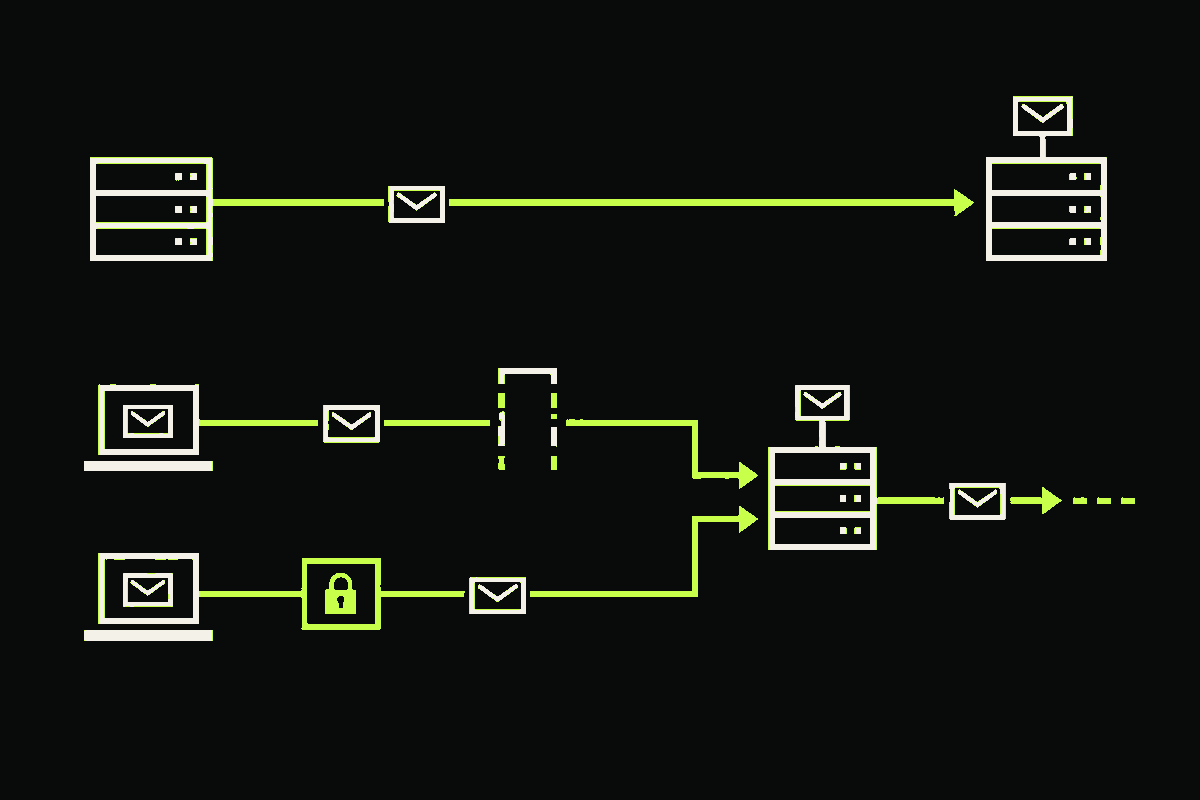
Use SMTP port 25 for server-to-server delivery, port 587 for authenticated submission with STARTTLS, and port 465 for authenticated submission with TLS from the first byte. If you are configuring an app to send through an email provider, start with the port and TLS mode in that provider's documentation. In most cases, that means 587 or 465, not 25.
The port number is not a quality setting. It tells the client which SMTP role and connection sequence to expect. A secure 465 connection is not inherently “more encrypted” than a secure 587 connection. The important difference is when TLS begins.
What is each SMTP port for?
Email has two separate journeys that are easy to blur together. First, an app or mail client submits a message to a message submission agent. Then mail servers relay that message toward the recipient's domain.
RFC 6409 separates submission from relay: relay continues on port 25, while submission normally uses port 587. RFC 8314 defines port 465 as an alternative submission service where TLS starts immediately.
| Port | Primary role | How TLS starts | Use it when |
|---|---|---|---|
| 25 | Mail-server relay and delivery | Plain SMTP first, then optional STARTTLS | Your mail server is delivering to a recipient MX, or a verifier is probing that public MX path |
| 587 | Authenticated message submission | Plain SMTP first, then STARTTLS upgrades the connection | Your provider documents 587 and STARTTLS for applications or mail clients |
| 465 | Authenticated message submission | TLS handshake happens immediately | Your provider documents 465 and implicit TLS |
Port 25 is different because public MX records do not carry a port number. As RFC 8314 explains, the MX infrastructure therefore uses port 25. This is why swapping 25 for 587 does not fix a mail server that cannot reach a recipient's MX. Port 587 is for submitting mail to your own provider, not delivering directly to the destination domain.
How do the connection sequences differ?
Here is the practical difference. These are illustrative protocol traces, not transcripts from a specific provider.
Server delivery or recipient probe on port 25
TCP connect
  -> 220 greeting
  -> EHLO
  -> STARTTLS, if offered and policy allows
  -> TLS handshake
  -> EHLO again
  -> MAIL FROM
  -> RCPT TO
  -> verifier stops before DATA

Submission on port 587
TCP connect
  -> 220 greeting
  -> EHLO
  -> STARTTLS
  -> TLS handshake
  -> EHLO again
  -> AUTH
  -> MAIL FROM

Submission on port 465
TCP connect
  -> TLS handshake immediately
  -> 220 greeting
  -> EHLO
  -> AUTH
  -> MAIL FROM
That second EHLO after STARTTLS matters. RFC 3207 resets the SMTP state after the TLS negotiation, so the client should discover server capabilities again inside the encrypted connection.
Authentication belongs after encryption. Submission servers normally require authentication or another explicit authorization mechanism. A well-configured client should also verify the server certificate and refuse to continue if required TLS cannot be established.
Should an application use 587 or 465?
Use whichever your provider explicitly supports, and match its TLS mode exactly.
For port 587, a client usually opens a normal TCP connection, reads the SMTP greeting, sends EHLO, and then issues STARTTLS. Configuration screens may call this “STARTTLS,” “explicit TLS,” or simply “TLS.”
For port 465, the TLS handshake occurs before the SMTP greeting. Configuration screens often call this “implicit TLS” or “SSL/TLS.” The label “SSL” is historical. Modern clients should negotiate current TLS, not obsolete SSL protocols.
You might reasonably ask: if both can be secure, why does the distinction matter? Because the client and server must agree on the first bytes of the conversation. Send a TLS handshake to a 587 endpoint that expects SMTP first, or send plaintext SMTP to a 465 endpoint that expects TLS first, and the connection can fail before authentication even begins.
RFC 8314 says the two approaches can provide equivalent security when configured correctly and when successful TLS negotiation is required. So I would not migrate a working, correctly secured submission setup merely because one port number sounds newer. I would verify the provider's documented mode, require TLS, validate certificates, and keep credentials out of logs.
Why does email verification care about port 25?
SMTP-level email verification follows the recipient domain's public mail path. It finds the domain's MX records, connects to an MX host on port 25, and asks how the server responds to a recipient command without sending a message. My deeper walkthrough of how SMTP email verification works shows where that probe fits and why it stops before message content.
This also explains a common infrastructure failure. Many cloud networks restrict outbound port 25. If a verification worker cannot reach the recipient MX, the honest result is inconclusive or unknown, not “invalid.” Retrying the same MX on port 587 would ask the wrong service and would usually require credentials for a submission account you do not have.
Port 25 can produce other inconclusive signals too. A server may defer a probe with a temporary response, apply policy controls, or use catch-all behavior. A 451 greylisting response is not proof that an address is invalid, just as SMTP acceptance is not a delivery guarantee or proof of inbox ownership.
What should you check when SMTP will not connect?
- Confirm the role. Are you submitting through your provider, or delivering to a recipient MX? Use 587 or 465 for the former and 25 for the latter.
- Match the TLS mode. Use STARTTLS on 587 and implicit TLS on 465 unless the provider explicitly documents something else.
- Require certificate validation. Encryption without authenticating the server still leaves room for interception.
- Repeat EHLO after STARTTLS. Capabilities advertised before encryption do not carry into the new SMTP state.
- Check network egress separately. A timeout to port 25 can be a hosting policy or firewall issue, not an address-level verdict.
- Preserve uncertainty. Do not convert timeouts, policy blocks, temporary replies, or catch-all responses into definite mailbox claims.
The shortcut is simple: choose the port from the job, then choose the TLS mode from the port. Port 25 moves mail between servers. Ports 587 and 465 submit mail from authenticated clients. Keeping those roles separate prevents a surprising number of configuration mistakes (and keeps verification failures from becoming false mailbox verdicts).