
How to Handle Email Verification API Results in Production
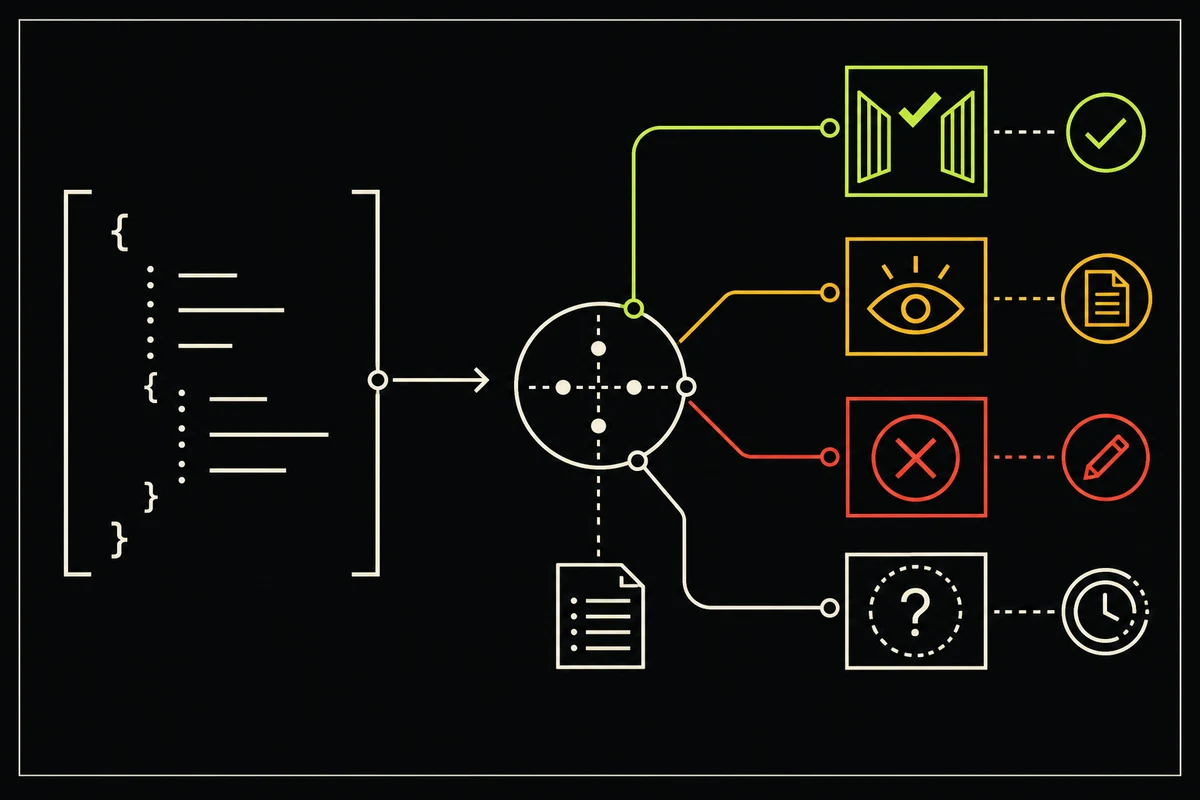
An email-verification request has two outcomes, not one: did the HTTP request succeed, and what did the verification process conclude?
Mix those layers together and a timeout becomes a fake mailbox rejection. Keep them separate and the integration becomes much easier to reason about.
The emailverifier.dev API returns a verification decision only after a successful POST /api/v1/verify request. That decision uses four statuses—deliverable, risky, undeliverable, and unknown—plus an action of allow, block, or review.
Start with the two-layer model
Handle the result in this order:
- Classify the HTTP response or network failure.
- Only for a successful response, apply the email decision to your product flow.
This is the useful mental model:
| Layer | Question | Examples |
|---|---|---|
| Transport | Did your server receive a usable API response? | HTTP 200, 400, 401, 402, 429, timeout, connection failure |
| Verification | What does the evidence say about the address? | Deliverable, risky, undeliverable, unknown |
A network timeout does not mean the email address timed out. It means your application did not receive a decision.
Call the API from your server
Keep the project API key on the server. A browser bundle, mobile app, or public client can expose any embedded secret.
This small wrapper returns transport failures and verification decisions as different shapes:
export async function verifySignupEmail(email, apiKey, signal) {
  try {
    const response = await fetch('https://emailverifier.dev/api/v1/verify', {
      method: 'POST',
      headers: {
        'Content-Type': 'application/json',
        'X-API-Key': apiKey
      },
      body: JSON.stringify({ email }),
      signal
    })

    const body = await response.json().catch(() => null)

    if (!response.ok) {
      return {
        type: 'transport_error',
        httpStatus: response.status,
        body,
        retryAt: response.headers.get('X-RateLimit-Reset')
      }
    }

    return {
      type: 'decision',
      result: body
    }
  } catch {
    return {
      type: 'transport_error',
      httpStatus: null,
      body: null,
      retryAt: null,
      cause: signal?.aborted ? 'aborted' : 'network'
    }
  }
}
The Fetch standard defines Response.ok from the HTTP status, not from the JSON body. In other words, fetch() can give you a normal response object for a 400 or 429; your code still has to inspect it. The Fetch specification documents that behavior.
Pass an abort signal from your application so a slow dependency cannot hold a request open forever. Treat an abort as a transport failure, not an unknown email result.
Map a successful decision
A successful response has this compact shape:
{
  "email": "alex@product.example",
  "status": "unknown",
  "action": "review",
  "flagged": false,
  "signals": [
    "verification_inconclusive"
  ],
  "suggestion": null
}
The values above are illustrative. Your integration should branch on the documented fields, not on a copied example.
| Status and action | What it means | Good product default |
|---|---|---|
undeliverable / block |
A confirmed failure was found, such as invalid syntax, unusable mail routing, or an explicit mailbox rejection. | Ask the user to correct the address. |
risky / block |
The address has a material risk signal, commonly a likely typo or known disposable provider. | Show the suggestion when present; otherwise apply your disposable-address policy. |
deliverable / allow |
The receiving server accepted the recipient and no review signal changed the default. | Continue the normal flow. |
deliverable / review |
The recipient was accepted, but a role-address or catch-all signal makes the account context important. | Allow low-risk use; require confirmation or review before a costly action. |
unknown / review |
The available checks could not justify a mailbox claim. | Preserve the uncertainty. Use confirmation when inbox access matters. |
Use action for the default branch and signals for the reason-specific adjustment. A catch_all_domain signal needs different handling from a possible_typo. The deeper mechanics are covered in the guides to catch-all email domains and disposable email address policy.
Handle HTTP errors by cause
| Failure | Meaning | Response |
|---|---|---|
400 |
The JSON body or email field does not match the contract. | Fix the request. Retrying the same payload will not help. |
401 |
A supplied API key is invalid. | Fix server configuration and rotate a secret if exposure is possible. |
402 |
The selected project has no credits remaining. | Top up that project or pause checks intentionally. |
429 |
The project or public demo reached its request limit. | Wait until X-RateLimit-Reset; do not hammer the endpoint. |
| Network error or client timeout | No usable response reached your application. | Apply your dependency-failure policy. Do not label the address invalid. |
The API also returns X-RateLimit-Limit and X-RateLimit-Remaining. Capture those headers as operational metrics. They are more useful than discovering a depleted window from user complaints.
Choose a dependency-failure policy before launch
The right fallback depends on the cost of accepting an unchecked address:
- For a newsletter or low-cost waitlist, accept the address into a pending state and confirm it before treating it as active.
- For a free trial that provisions costly resources, delay provisioning or require confirmation when the verification service is unavailable.
- For account recovery, billing notices, or security alerts, do not treat reachability checks as proof of control. Require the appropriate confirmation or authentication step.
As of August 13, 2026, the public verification endpoint does not expose an idempotency key. Be careful with automatic retries after a client-side timeout: the original request may still complete and consume a credit. A bounded retry for a definite connection failure is different from repeatedly sending the same uncertain request.
Log the decision without leaking secrets
Useful fields include HTTP status, latency, verification status, action, signals, and the selected product branch. Keep transport-error rates separate from address-result rates.
Do not log API keys, confirmation tokens, or full verification URLs. Consider masking or pseudonymizing email addresses in operational logs. The OWASP email validation and verification guidance recommends the same separation.
Test the state machine, not just the happy path
A production test suite should cover at least these cases:
- Confirmed syntax or routing failure
- Likely typo with a correction
- Known disposable provider
- Accepted role address
- Accepted catch-all domain
- Inconclusive mailbox result
- Every documented HTTP error
- Timeout before a decision arrives
For more detail on the checks behind those branches, start with the practical developer guide to email verification and the SMTP verification guide.
The complete request and response contract lives in the REST API reference. You can also create a project and use its API key from your server.