
No-Reply Email Addresses: When to Use One and What to Do Instead
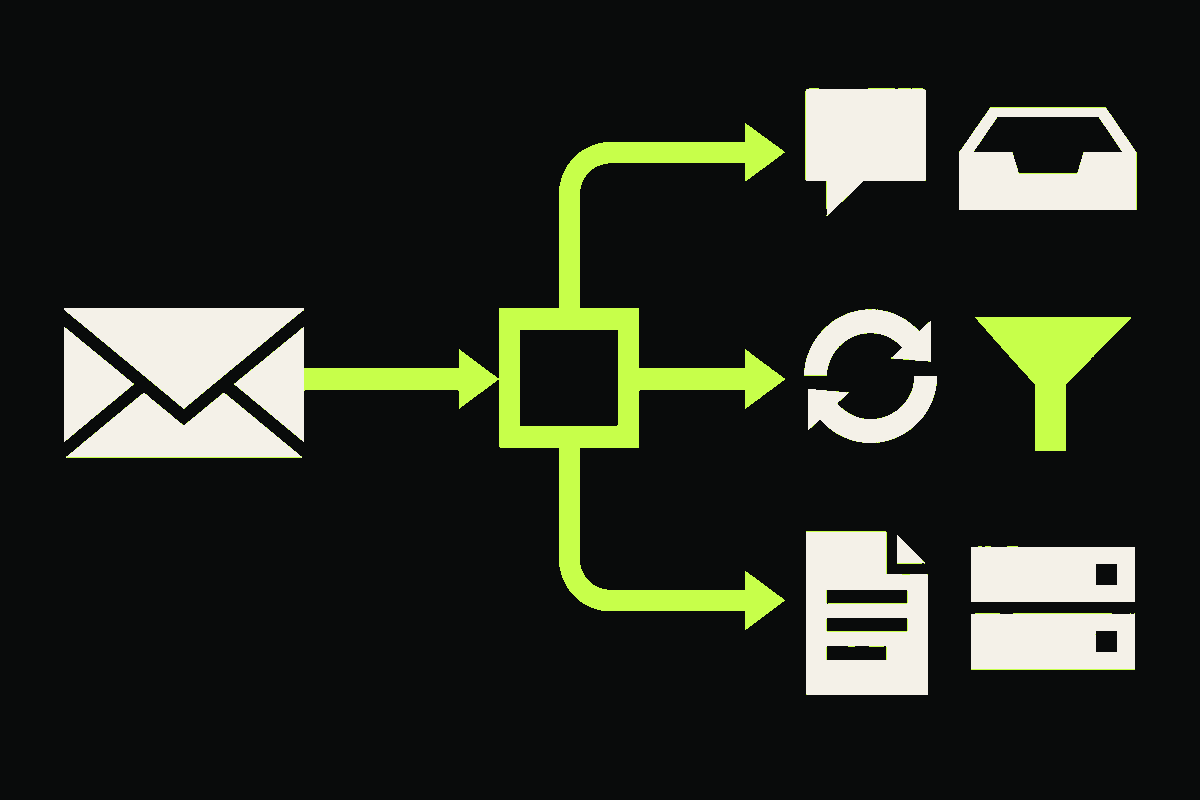
Use a no-reply address only when a human reply truly has nowhere useful to go. For receipts, account notices, security alerts, and most lifecycle email, keep the visible sender recognizable and route replies to a monitored mailbox or help desk. A noreply@ local part does not disable the Reply button, stop automatic responses, or control where bounces go.
I would treat “no reply” as a product decision, not an email protocol feature. If a customer can reasonably answer with “this was not me,” “the amount is wrong,” or “I still need help,” discarding that answer creates a support failure you could have routed.
What does a no-reply address actually do?
Nothing special at the protocol level.
noreply@product.example is an ordinary address whose local part happens to say noreply. RFC 5321 leaves local-part semantics to the receiving host. Your mail system decides whether that address accepts, rejects, forwards, or silently stores incoming mail.
When a person clicks Reply, their mail client normally uses Reply-To when it is present and otherwise falls back to From. That behavior comes from RFC 5322's originator-field rules. The letters “no-reply” do not change those rules.
So a no-reply setup can produce four very different outcomes:
| Configuration | Human reply | Operational result |
|---|---|---|
From: noreply@..., no Reply-To | Goes to the no-reply address | It bounces, queues, or disappears according to your inbound setup |
From: noreply@..., monitored Reply-To | Normally goes to the monitored address | Human replies can enter support while the sender identity stays stable |
Monitored From, no Reply-To | Goes to From | Simplest two-way setup |
| No mailbox behind either address | Fails or is lost | The sender has created a dead end, not a transport control |
The From, Reply-To, and Return-Path guide owns the complete header model. The important boundary here is that human replies and delivery reports are separate flows.
Which address receives replies, auto-replies, and bounces?
A production sender should assign each inbound path deliberately.
MAIL FROM:<bounce+msg_7f31@bounces.notify.example>
From: Product Alerts <alerts@notify.example>
Reply-To: support+thread_4821@inbound.example
To: customer@example.net
Message-ID: <msg_7f31@notify.example>
In this hypothetical message:
Fromidentifies the visible author and should use a domain you authenticate.Reply-Tosuggests where a person's reply should go. The tagged address can carry a safe, opaque conversation identifier because you control the receiving domain.MAIL FROMbecomes the return path after delivery and receives delivery-status traffic. The per-message token links a bounce to the send attempt.Message-ID,In-Reply-To, andReferencespreserve the conversation relationship when clients include them.
RFC 3834 recommends sending unanticipated automatic responses to the return path, not to the human Reply-To address. That means adding Reply-To does not reliably redirect every out-of-office message. Your bounce domain and visible reply mailbox still need independent handling.
This separation also explains why a dead noreply@ mailbox is not bounce management. Bounces belong on the envelope path, and the suppression-list workflow should consume the resulting delivery events.
When is no-reply reasonable?
The decision turns on what the recipient might reasonably need to say, not on whether the message was generated by software.
| Message | Reply policy | Why |
|---|---|---|
| Password code or magic link | Route to account support or security | “I did not request this” is useful evidence, even though replying cannot complete the login |
| Receipt, invoice, or renewal | Route to billing support | Amount, tax, cancellation, and account questions are predictable |
| Security alert | Route to a monitored security or support workflow | The recipient may need to report an unauthorized event |
| Product notification | Route by event or account context | A reply can reveal a broken workflow or outdated data |
| Marketing or newsletter | Use a monitored reply path and a standards-based unsubscribe path | Replies may contain support requests or unsubscribe intent |
| Machine-only diagnostic sent to an operator | No-reply can be reasonable if another contact path is explicit | The audience and escalation route are controlled |
The strongest fair objection is volume. A monitored reply address can collect vacation notices, delivery reports, spam, and messages that belong elsewhere. That is an argument for classification and routing, not for throwing every reply away.
For subscription mail, the current M3AAWG Sender Best Common Practices, dated August 27, 2026, says senders should be able to process email-based unsubscribe requests received through the outbound From and Reply-To addresses. It separately recommends one-click unsubscribe. A reply mailbox is not a substitute for List-Unsubscribe, but a dead address can discard an intent you should have handled.
How do you accept replies without creating a support black hole?
Make replyability part of the send contract for every message type. Do not let each template author improvise an address.
This hypothetical contract describes a security alert:
{
  "messageType": "security_alert",
  "from": "alerts@notify.example",
  "replyTo": "security+account_82@inbound.example",
  "envelopeFrom": "bounce+message_7f31@bounces.notify.example",
  "replyPolicy": "monitored",
  "contactUrl": null
}
An intentionally one-way diagnostic can set replyPolicy to none, but then the contract should require a visible HTTPS contact route in the message. That keeps “we do not process replies here” from becoming “there is no way to report a problem.”
export function assertReplyContract(route) {
  if (!route.from || !route.envelopeFrom) {
    throw new Error('From and envelopeFrom are required')
  }

  if (route.replyPolicy === 'monitored' && !route.replyTo) {
    throw new Error('A monitored route needs Reply-To')
  }

  if (route.replyPolicy === 'none') {
    if (route.replyTo) {
      throw new Error('A one-way route must not advertise Reply-To')
    }
    if (!route.contactUrl?.startsWith('https://')) {
      throw new Error('A one-way route needs an HTTPS contact path')
    }
  }

  if (!['monitored', 'none'].includes(route.replyPolicy)) {
    throw new Error('Unknown replyPolicy')
  }

  return true
}
I ran five fixtures against that preflight: a monitored security alert passed, a documented one-way diagnostic passed, and routes with a missing Reply-To, a hidden contact path, or contradictory fields failed before send.
After mail arrives, classify delivery reports, automatic responses, and possible human replies before opening a support ticket. The existing auto-reply guide owns that inbound classifier and loop-prevention path. If you build an automatic answer, mark it correctly, cap responses, and follow RFC 3834's envelope guidance so two responders do not keep answering each other.
Does no-reply hurt deliverability?
I would not claim that the word noreply automatically sends a message to spam. Mailbox providers evaluate many signals, and I have not found a primary standard or provider rule that makes this local part a universal failure.
There is still an infrastructure requirement worth checking. M3AAWG's Sending Domains Best Common Practices recommends working MX records for domains used in the visible From, envelope return path, and optional Reply-To. It also recommends monitored abuse@ and postmaster@ addresses. RFC 2142 defines those well-known operational mailboxes.
Authentication, complaint rate, list quality, sending behavior, and recipient response remain separate concerns. A monitored reply path does not make bad mail good. A no-reply local part does not make authenticated mail bad by itself.
What should you ship?
My default is a recognizable sender on an authenticated subdomain, a monitored Reply-To chosen by message type, a separate tagged bounce address, and an inbound router that distinguishes delivery reports, automatic responses, and possible human replies.
If you still use noreply@, make the boundary honest. Put a real contact route in the message, confirm that the domain accepts required operational mailboxes, test what happens when a customer clicks Reply, and alert when the inbound queue stops being processed.
Email verification answers a different question. It can evaluate the recipient address before you send, while keeping failures, risks, and inconclusive results separate. It cannot decide whether your own sender mailbox is monitored or whether a reply reaches the right team. That part is yours to design.